
GoGame Bet Registration
Creating your account on GoGame Bet is quick and simple. You only need your mobile number and a few seconds to get started. Follow the steps below to complete your registration easily.
Step 1: Open the App
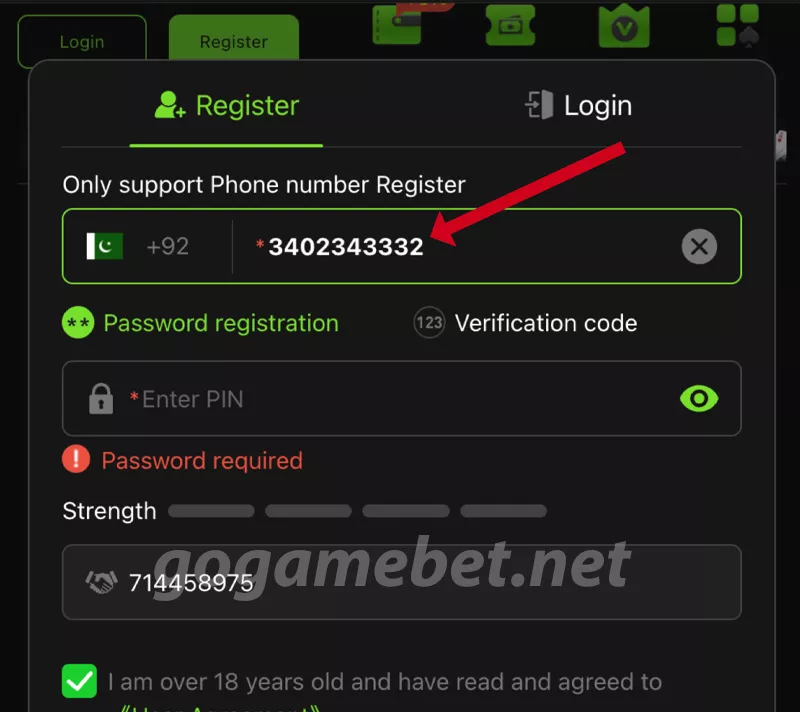
First, open the GoGame Bet app on your mobile phone. Tap on the Register button at the top of the login screen. This will open a simple registration form where you can enter your phone number and password or get a code.

Step 2: Enter Your Phone Number
Type your Pakistani (+92) mobile number carefully in the box. Make sure it’s an active number you’ll need it to set your password or get the verification code.
Step 3: Set Password or Get Code
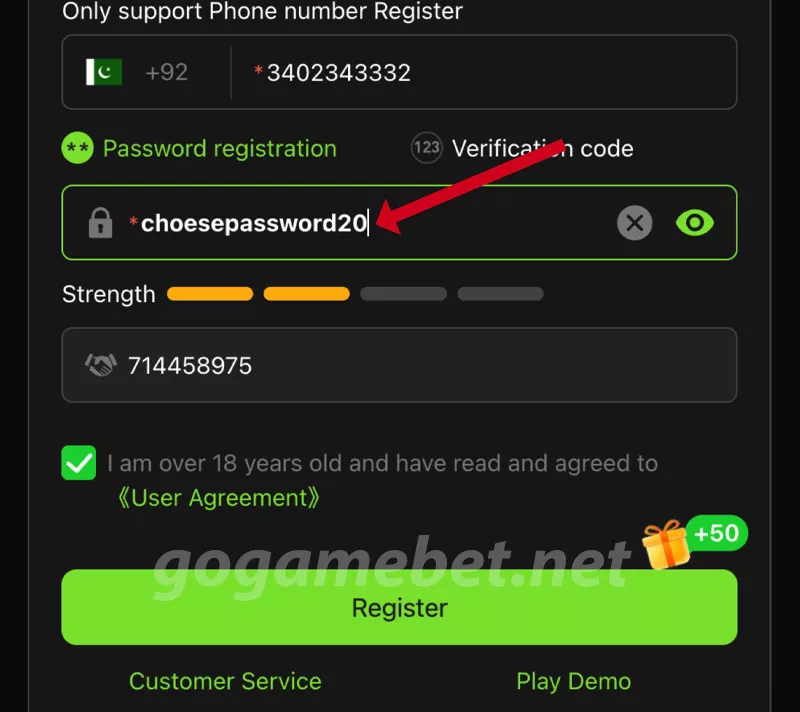
You can register in two simple ways:
- Password registration: Create a strong password or PIN to secure your account.
- Verification code: Tap on Verification Code, and you’ll get an SMS code. Enter it to continue.
Both methods work the same choose whichever is easier for you.
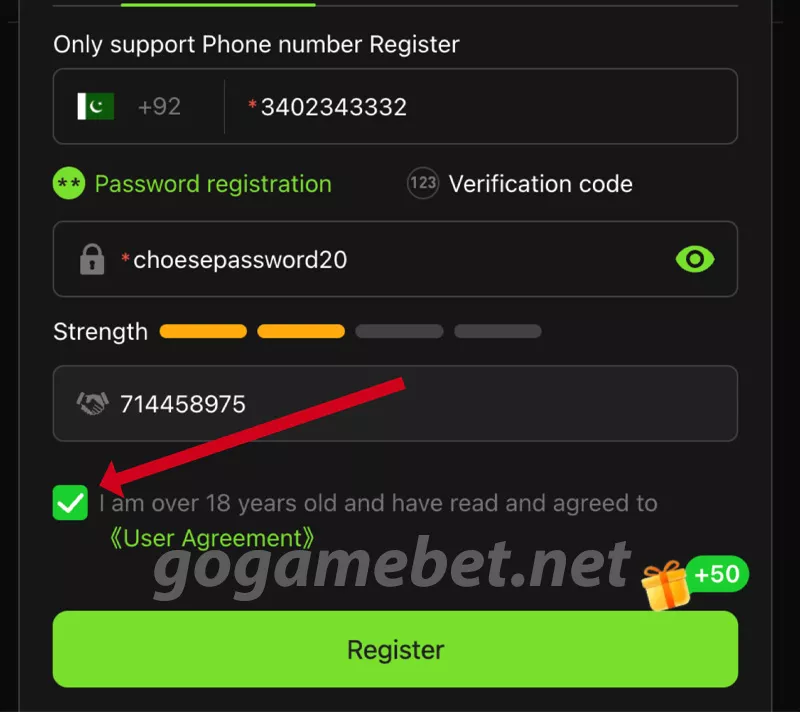
Step 4: Confirm Age & Agreement
Tick the box that says: “I am over 18 years old and have read and agreed to the User Agreement.” This is required to complete your account registration.
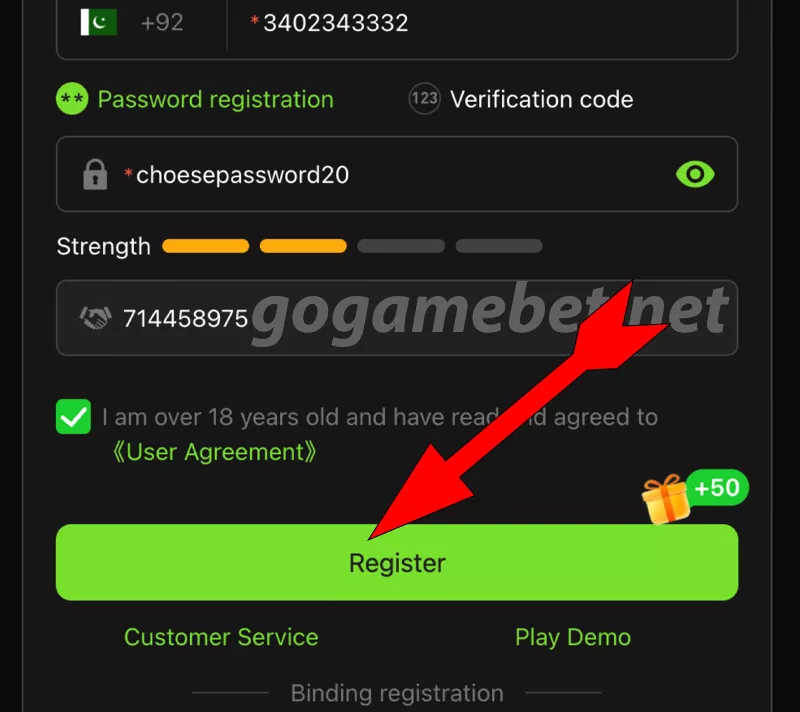
Step 5: Tap on Register
Once everything is filled, tap the Register button. Your account will be created instantly, and you’ll be redirected to the login or home screen. If your number or code isn’t correct, the app will show an error just recheck and try again.
That’s it your GoGame Bet account is ready in just a few simple steps. Download GoGame Bet now and start playing your favorite games today!
Need Help?
If you face any problem during registration, go to our Contact Us page or use the in-app Customer Service option. The support team is available to help you 24/7.