
GoGame Bet Deposit
Adding money to your GoGame Bet account is fast and simple. The app supports popular local payment methods like JazzCash and Easypaisa, so you can top up your balance in just a few minutes.
Step 1: Go to the Deposit Section
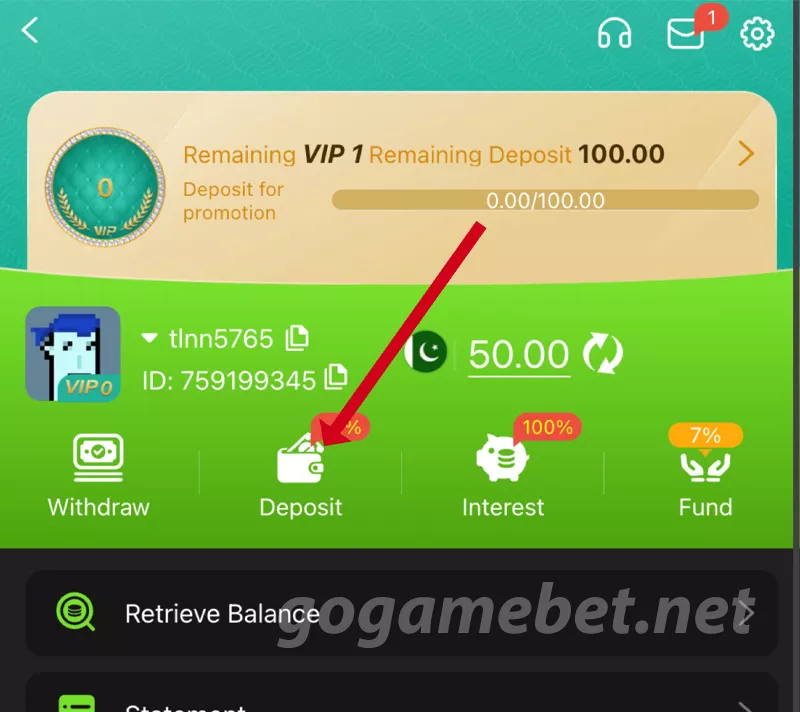
After logging in, tap on the Profile icon at the bottom of the screen. On your profile page, tap the Deposit button to open the deposit options.
Step 2: Choose a Payment Method
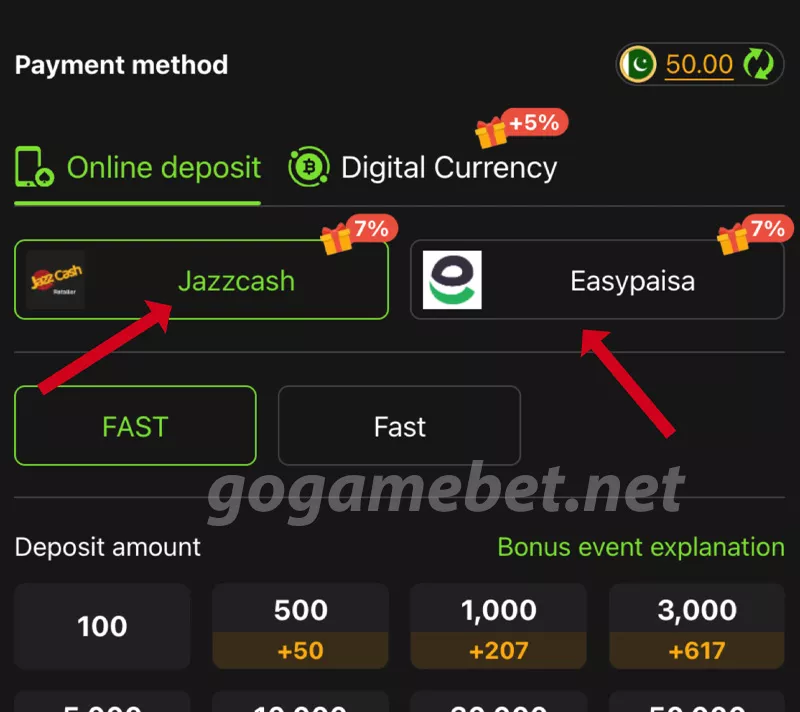
GoGame Bet supports multiple payment methods, including:
- JazzCash
- Easypaisa
- Digital Currency (USDT)
For most users in Pakistan, JazzCash or Easypaisa is the easiest and fastest option.
Step 3: Select Deposit Amount
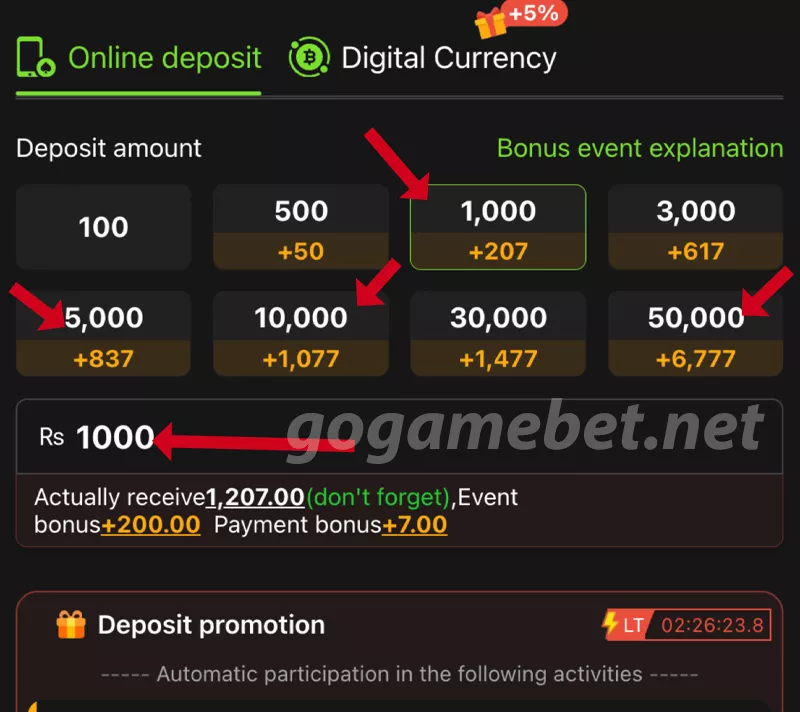
Choose the amount you want to deposit from the options shown for example:
- Rs 100
- Rs 500
- Rs 1000
- Rs 5000 or more
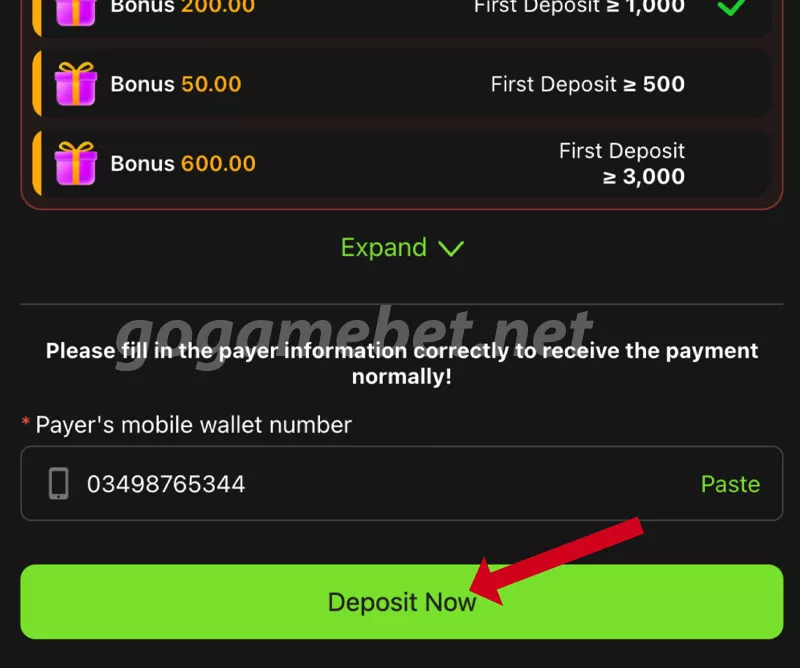
You’ll also see bonus amounts listed under each option, which are added automatically.
Step 4: Enter Your Wallet Number
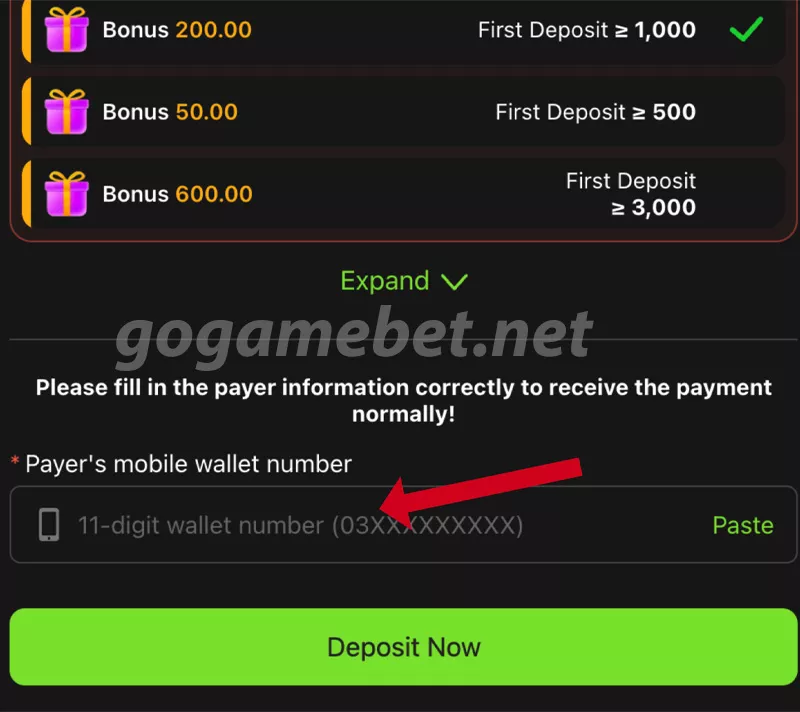
Type your 11-digit mobile wallet number (03XXXXXXXXX). Make sure the number matches the account you’re using to make the payment. This ensures your deposit is received quickly without any delay.
Step 5: Confirm and Deposit
Tap Deposit Now to proceed. Follow the instructions on your JazzCash or Easypaisa app to complete the transaction. Once the payment is done, your balance will be updated in your GoGame Bet account.
Extra Deposit Bonuses
GoGame Bet offers special deposit rewards:
- Bonus on first deposit
- Extra percentage on bigger deposits
- Daily cashback promotions
These offers are applied automatically when you deposit the required amount.
Tips for Smooth Deposit
- Make sure your JazzCash or Easypaisa account has enough balance.
- Enter the correct wallet number to avoid failed deposits.
- Always use your own account to keep your profile secure.
- If your balance doesn’t update, use the Retrieve Balance button in your profile.
Need Help?
If your deposit doesn’t appear or fails, don’t worry. You can contact the support team directly through the in-app Customer Service option or visit our Contact Us page. The team will assist you quickly.